Choose a collection
A collection is the style of your party: print frames in every format (4×6 portrait and landscape, photo strip, square) and the booth's welcome screen. Some collections also include an illustrated world and AI Magic portraits. Search by event, by mood or by character name.
There are free and premium collections. Open any one to see all its frames and its world.
Browse collections →
Create your event
Three fields: name, date and type of party. Click “Create and configure” — your event is ready and you go straight to setup.
The name is what your guests will see: “Lily's 7th birthday”, “Anna & Mark's wedding” or the full name of your corporate evening.

Confirm the texts
Every frame in the collection opens with your text already in place — the child's name, the couple's names or the company name, plus the date. Check the frames one by one. If needed, change the size, color, font and position of the text. The centering buttons place it exactly in the middle, and the eyedropper picks a color straight from the frame.
One button applies your settings to every frame of your party. The collection template stays unchanged — only your event is affected.

Test for free
Open the booth in preview mode and go through the entire guest journey: welcome screen, frame choice, countdown, photo. The test saves no photos: they don't reach the gallery, and a watermark appears on screen.
AI Magic portraits are genuinely generated during the test so you can see the result, but they aren't saved either.

Activate your event
Happy with everything? Activate: pay per event, or free as part of the Pro package. Once activated, you get a code for the tablet, a link and a QR code for guests, and the watermark disappears.

On the day of the party
The booth runs on a tablet — in the app or right in the browser. Guests can also shoot from their own phones: place an A4 invitation with a QR code on the tables. A guest scans the QR code and opens their photo.
You can show the gallery on a TV in slideshow mode — new photos appear as the party goes on.

Gallery and downloads
No need to put the gallery together: it builds itself, with every photo from the tablet and the phones. You can protect it with a password.
You, the host
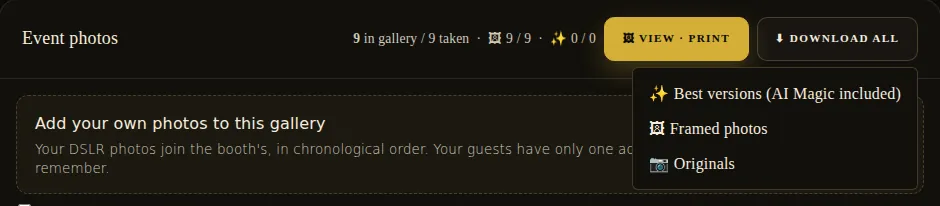
Download the whole gallery as a single archive, in the version you need:
- 📷 Originals — photos without a frame
- ✨ Best versions — including AI Magic portraits
- 🖼 Framed photos — just like the prints
Your guests
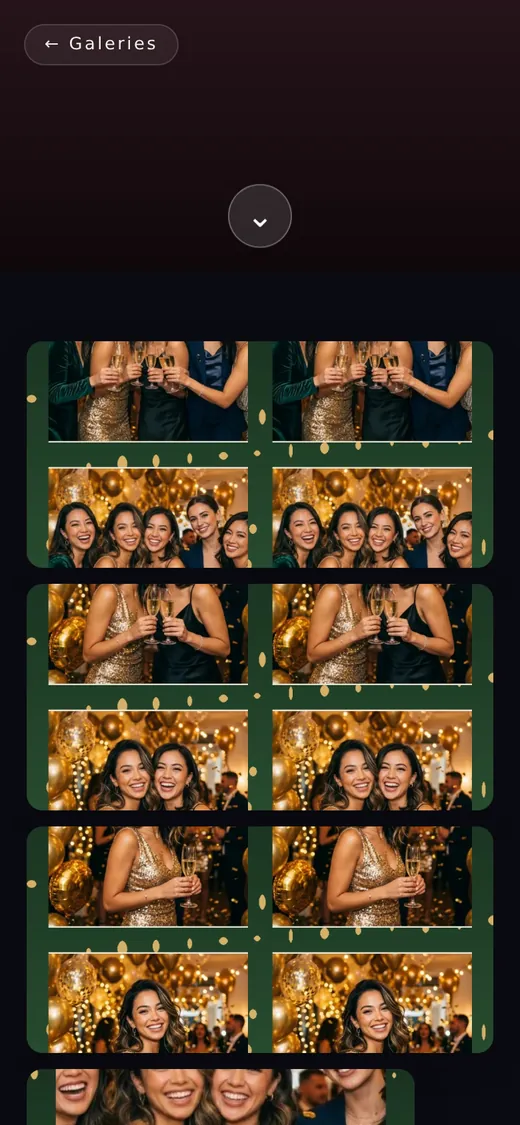
- Download photos one at a time
- Download the whole gallery as an archive — only if you allow it
- Never have access to the originals
Retention period: plan ahead
The gallery isn't stored forever — GDPR requires it. Choose the period before the party: a week, a month, three months or a year. It runs for each photo from the moment it was taken. When it expires, the photos can no longer be opened and are deleted.
Download the archive before the period ends and let your guests know until which day the gallery is open.

Frequently asked questions
Do I need internet at the party?
Not for taking photos: the booth on the tablet works offline and sends the photos once a connection is available. Internet is needed for photos to appear in the gallery right away and for guests to shoot with their own phones.
Do I need to install anything?
Your guests don't: everything opens in their phone's browser. There's an Android app for the tablet, but the booth also works in a regular browser.
What can I change after paying?
Almost everything: the text on photos, the welcome screen and the gallery settings. Only the event name and date are locked — so check them before activating.
Who can see the gallery?
Only people who have the link: galleries aren't indexed by search engines. You can protect the gallery with a password and hide individual photos.
What if it's a kids' party?
Turn on kids' party mode: after each photo, the booth asks who's in the picture, and after the party each parent gets a link to their own child's photos only.
Start with a collection — the rest takes just one evening.
No signup, no app. Make your first magic photo right now.